

The site stack runs a daemon, web app, and internal Caddy proxy; Coolify's proxy handles HTTPS. A separate Watchtower stack can update all Seed sites on the same server.
Before you start
A Coolify v4 server and a domain whose DNS points to that server.
A public P2P port, 56000 by default, open for both TCP and UDP. Use a unique port for each Seed site on the server.
The Seed desktop app, which you will use to register the site.
Step 1: Create the Seed site resource
In your Coolify project, add a new resource and choose Docker Compose (deploy a multi-container application from a Compose file, without a Git repository).
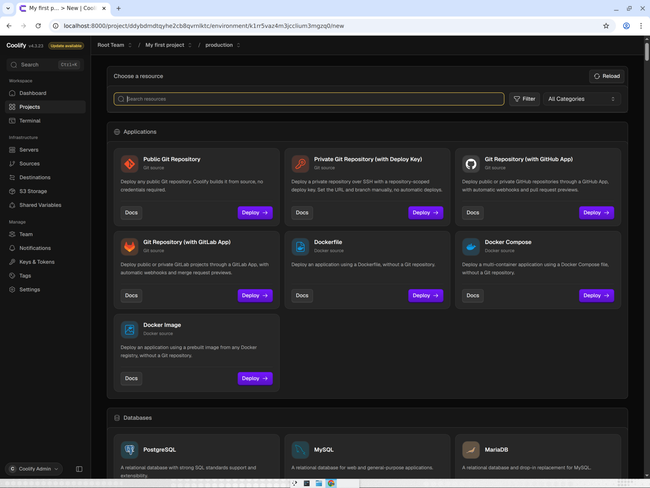
Paste the contents of ops/coolify/seed-site.yaml into the Compose editor, then click Create Service.
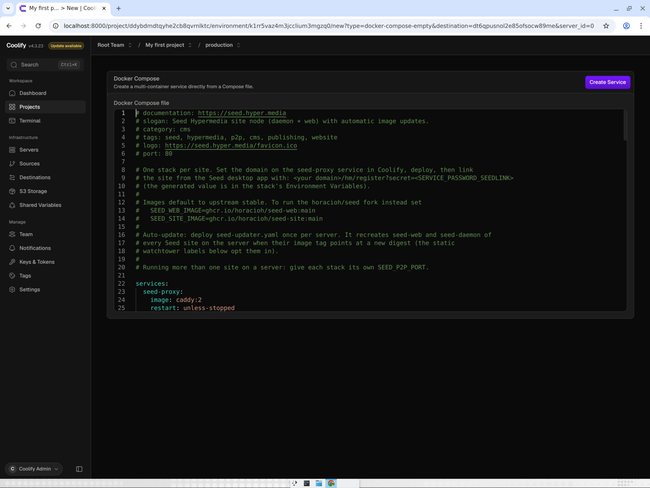
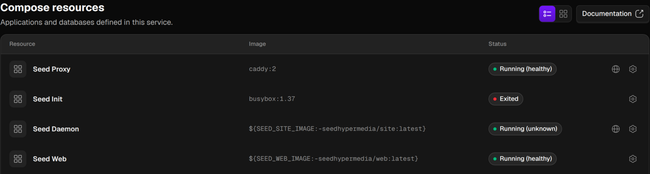
Coolify creates the stack with four resources: Seed Proxy, Seed Init, Seed Daemon and Seed Web.
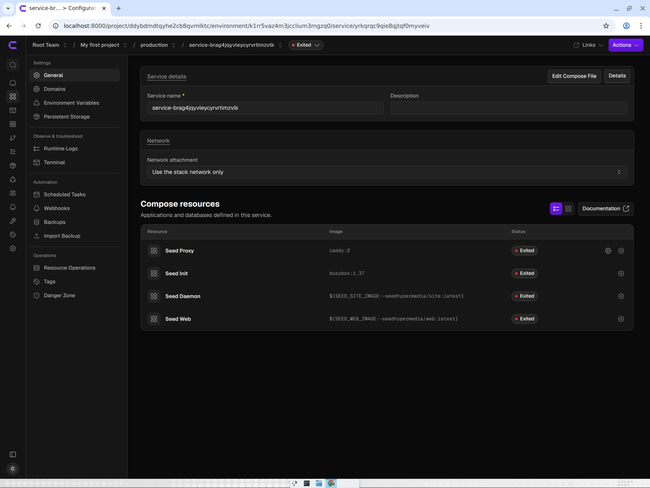
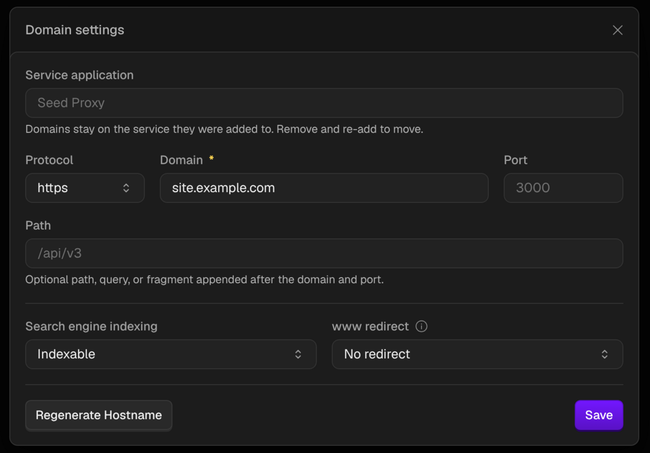
Open Domains in the stack's menu, open the settings of the Seed Proxy domain, set Protocol to https and Domain to your hostname (for example site.example.com), then Save. Use one domain with no path.
To use the fork's images instead of the upstream defaults, add these two variables under Environment Variables:
SEED_WEB_IMAGE=ghcr.io/horacioh/seed-web:main
SEED_SITE_IMAGE=ghcr.io/horacioh/seed-site:main
The default P2P port is 56000; if you change it, use a unique port and open it for TCP and UDP.
Step 2: Deploy the site and updater
Deploy the site stack. Wait for the proxy and web service to become healthy and the daemon to be running. Seed Init runs once to write the initial config and then shows Exited; that is expected.
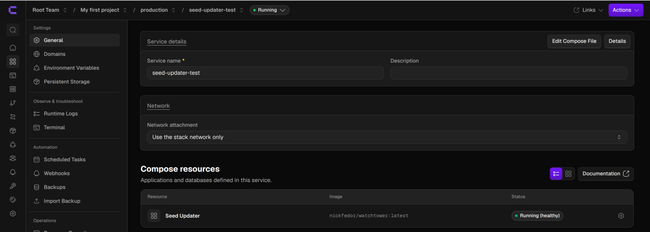
Create another Docker Compose resource and paste ops/coolify/seed-updater.yaml. Deploy this updater once per server; it needs no domain. It checks for image updates every 600 seconds by default.
Register the site from Seed desktop
Copy SERVICE_PASSWORD_SEEDLINK from the site's Environment Variables.
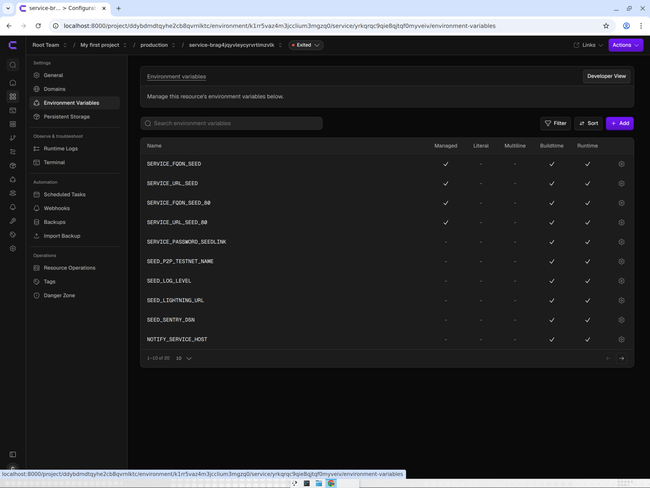
Use this registration link in the Seed desktop app:
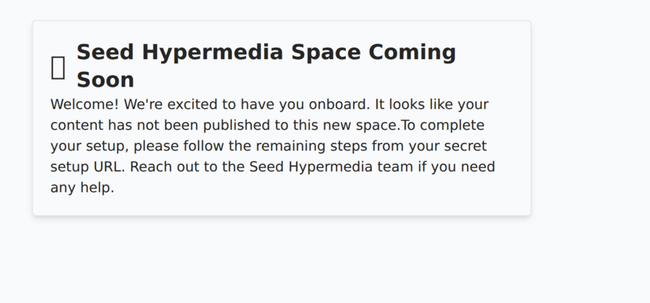
https://<domain>/hm/register?secret=<SERVICE_PASSWORD_SEEDLINK>The registration secret is written to the web data volume on first start and is consumed when the site is registered. Until registration is complete, the site shows a “coming soon” page.
Check that it works
Run:
curl -fsS "https://<domain>/hm/api/config"The response should be JSON.
Updates
seed-updater.yaml is a separate stack: without it, the site does not auto-update. The updater checks the seed-web and seed-daemon containers of every Seed site on the server every SEED_UPDATE_INTERVAL seconds (600 by default). The default latest tags follow upstream stable releases; the fork's ghcr.io/horacioh/seed-*:main tags follow pushes to custom-images. Pin an exact version tag to stop following a moving tag.
Backups
Back up both named volumes: seed-daemon-data contains the database, blobs, and node keys; seed-web-data contains config.json.
Troubleshooting
Use Coolify's port-less SERVICE_URL_SEED and SERVICE_FQDN_SEED for the app. The _80 variants include :80 and are for routing the domain to seed-proxy, not for the app URL or daemon announce address.
If images are not updating, check that the separate seed-updater.yaml stack is deployed on the server.
Each site on a server needs a different P2P port, open for both TCP and UDP.
Related discussion
Do you like what you are reading? Subscribe to receive updates.
Unsubscribe anytime