

Inspiration from Notion and link behaviour
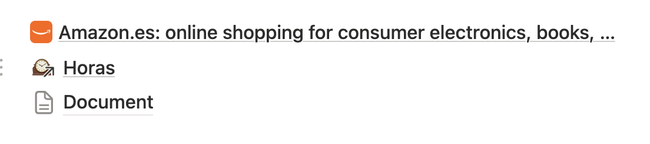
By order / I proposed to use the same logic:
External link: when clicking will open the url in a blank page
External subdocument: when clicking will open the original document source changing the breadcrumb.
Internal subdocument: when clicking will open the document in the parent where user is.
Inspiration from Notion and link behaviour
Notion docs. spacing and hover:
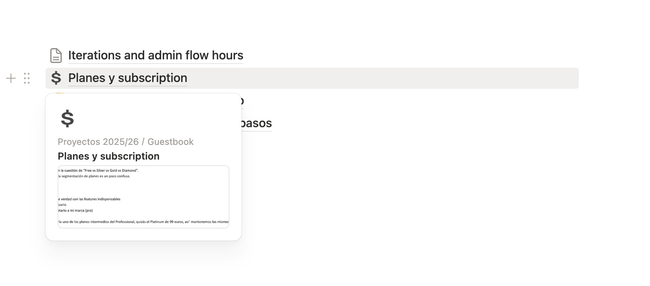
Depending of what option you select the link doesn't place in between text but jumps to have its own line space.
We need to consider add an icon differentiator also on a document card.
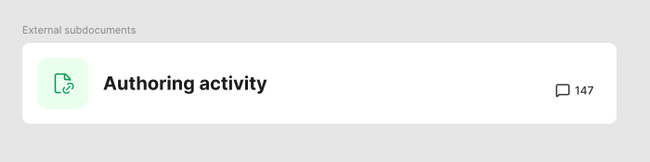
A link should not look like a card, now it does. This is more select mode.

Acceptance criteria
Creating a link from selecting a text
To create a link: select text → click the link icon in the inline toolbar → type a URL.
In "read mode", clicking a link navigates to the destination.
In "edit mode", clicking a link opens a tooltip to open and edit the link.
A URL creates a static link (label never changes). Selecting an internal doc creates a dynamic link (label syncs with doc title).
Copying pasting a link from a Seed document
User can copy paste a document link and add it to the current document. Different options will be displayed (Embed link, Embed, Card and Button). Remove Link option and mention. If you want a link you do it from the inline toolbar. → Link will be added on it is own line space (not in between text)
User can copy paste a URL from the browser and paste it. Different options will be displayed (Embed link and Button).
To enter edit mode when a block is all links and has no plain text to click, the user can click the block's margin.
Visually we differentiate between subdocument link, external subdocument link, link and link from URL.
Do you like what you are reading? Subscribe to receive updates.
Unsubscribe anytime